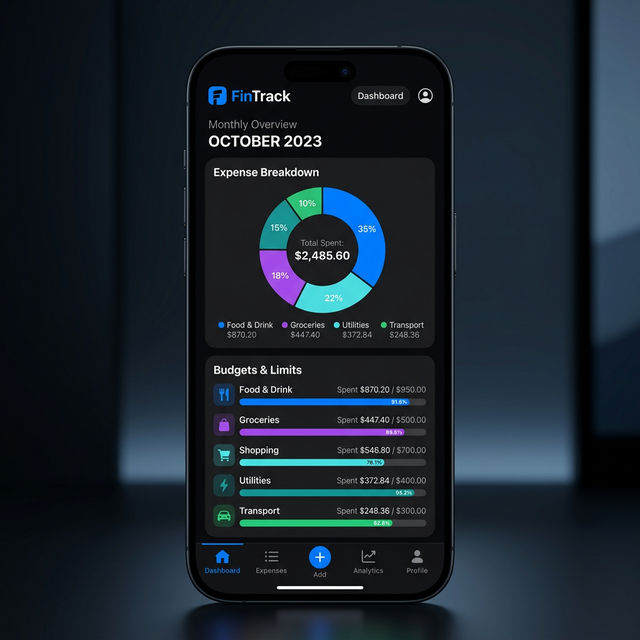
Finance with Foresight
Explyra's Expense Manager is a powerful tool designed for individuals and teams to gain full control over their financial health. From daily coffee runs to major corporate procurement, every transaction is tracked with precision.
Rapid Entry
Log expenses in under 5 seconds with our streamlined mobile-first interface.
Visual Analytics
Beautiful charts and graphs that break down your spending by category and time.
Bank-Level Security
All financial data is encrypted with 256-bit AES protection.
Smart Categorization
Tired of manually assigning categories to every transaction? Explyra's AI engine learns from your spending habits to automatically sort your expenses.
Auto-Tagging Rules
Create custom rules based on merchant name, amount, or keyword. For example, any transaction from "Uber" can be automatically tagged as "Transport".
Receipt OCR & Scanning
Eliminate paper clutter. Use the Explyra mobile app to snap a photo of any receipt, and our OCR (Optical Character Recognition) engine will extract the details instantly.
Capture & Extract
Our engine extracts the Merchant Name, Date, Total Amount, and even Tax amounts with 99% accuracy across 40+ languages.
Digital Proof
Scanned receipts are permanently attached to the expense entry, meeting most international tax audit requirements.
Approval Workflows
For organizations, Explyra provides robust approval hierarchies to manage employee reimbursements and corporate spending.
- Multi-Level Approval: Set up workflows where an expense must be approved by a Manager and then an Accountant.
- Spending Limits: Automatically flag or block expenses that exceed pre-defined budget limits for specific departments.
- Instant Notifications: Employees get notified via Slack, Email, or Push when their expense is approved or rejected.
Advanced Export & Integration
Moving data out of Explyra is just as easy as putting it in. Custom-build your exports to match your accounting software's requirements.
Custom Templates
Use our template builder to choose which columns to include in your CSV/PDF exports. Reorder columns, change headers, and apply filters to get exactly what you need for tax season.
Frequently Asked Questions
What happens if I lose my phone?
Your data is synced to the cloud in real-time. Simply log in from any other device to access your full financial history.
Are there limits on receipt uploads?
Standard accounts include 1GB of receipt storage, while Enterprise accounts offer unlimited storage for all your digital proofs.